The most common stand mistake is buying by the headline size, a stand for 55 inch TVs, and then discovering at home that the television's feet sit wider than the stand's top, so the set overhangs both ends. It looks unstable and, more to the point, it may be. A TV stand is a piece of furniture that carries heavy electronics for years, and its measurements are only partly about looks.
This guide covers how wide a stand needs to be, how the TV's feet change that number, why height and depth matter as much as width, how much space a soundbar and the cables take, and the weight and stability checks that matter if the room has children or pets.
Stand width compared with the TV
The screen diagonal is not the width. A 16:9 television has a width of about 87 percent of its diagonal, so a 55 inch set is about 48 inches wide, a 65 inch about 57 inches, a 75 inch about 65 inches and an 85 inch about 74 inches. Those are the panel widths. The overall width with the bezel is a fraction of an inch more on modern sets.
For a balanced look, the stand should be wider than the TV, by 4 to 12 inches on each side, so the TV sits visibly inside the stand and leaves room for a lamp or a plant on either end. A stand narrower than the screen looks top-heavy, and one far wider than the TV looks like a sideboard with a small TV in it. As a practical rule, add 8 to 24 inches in total to the screen width.
| TV size | Approx. panel width | Suggested stand width |
|---|---|---|
| 43 in | 38 in | 42 to 54 in |
| 50 in | 44 in | 48 to 60 in |
| 55 in | 48 in | 54 to 66 in |
| 65 in | 57 in | 62 to 74 in |
| 75 in | 65 in | 70 to 84 in |
| 85 in | 74 in | 80 to 92 in |
Look at the wall space too. The stand plus a margin of 6 inches or more at each end should fit between windows, doors or a corner. In a narrow alcove, the stand may need to be only slightly wider than the TV, and a model with a recessed top surface or a shallow frame gives more room.
Feet versus a center pedestal
Television feet come in two designs, and the difference changes how much surface you need. Many sets have two feet near the outer corners. The distance between the outer edges of those feet can be nearly the full width of the TV, so a 65 inch set with corner feet needs a surface of at least 50 to 55 inches, and the stand must be wide enough that the feet land fully on the top. Other sets have a single center pedestal, or feet clustered near the middle, and need only a 20 to 30 inch footprint but a deeper surface to hold the base.
Check the listing or the manual for the foot spacing, usually given as a width and a depth in the specifications. The width between the feet is the number that must fit on the stand top. A stand with a glass or slim top surface may show the feet through it, and if the stand has a raised back lip, check that the pedestal clears it.
If the stand is smaller than the feet require, there are two safe fixes. Choose a wall mount, which removes the problem and frees the stand for storage, a decision discussed in TV mount types explained. Or use feet that can be moved to the inner mounting holes, as some manufacturers allow. Never rely on a TV that overhangs the edge, since a bump to the overhang can topple it.
Height and the screen center
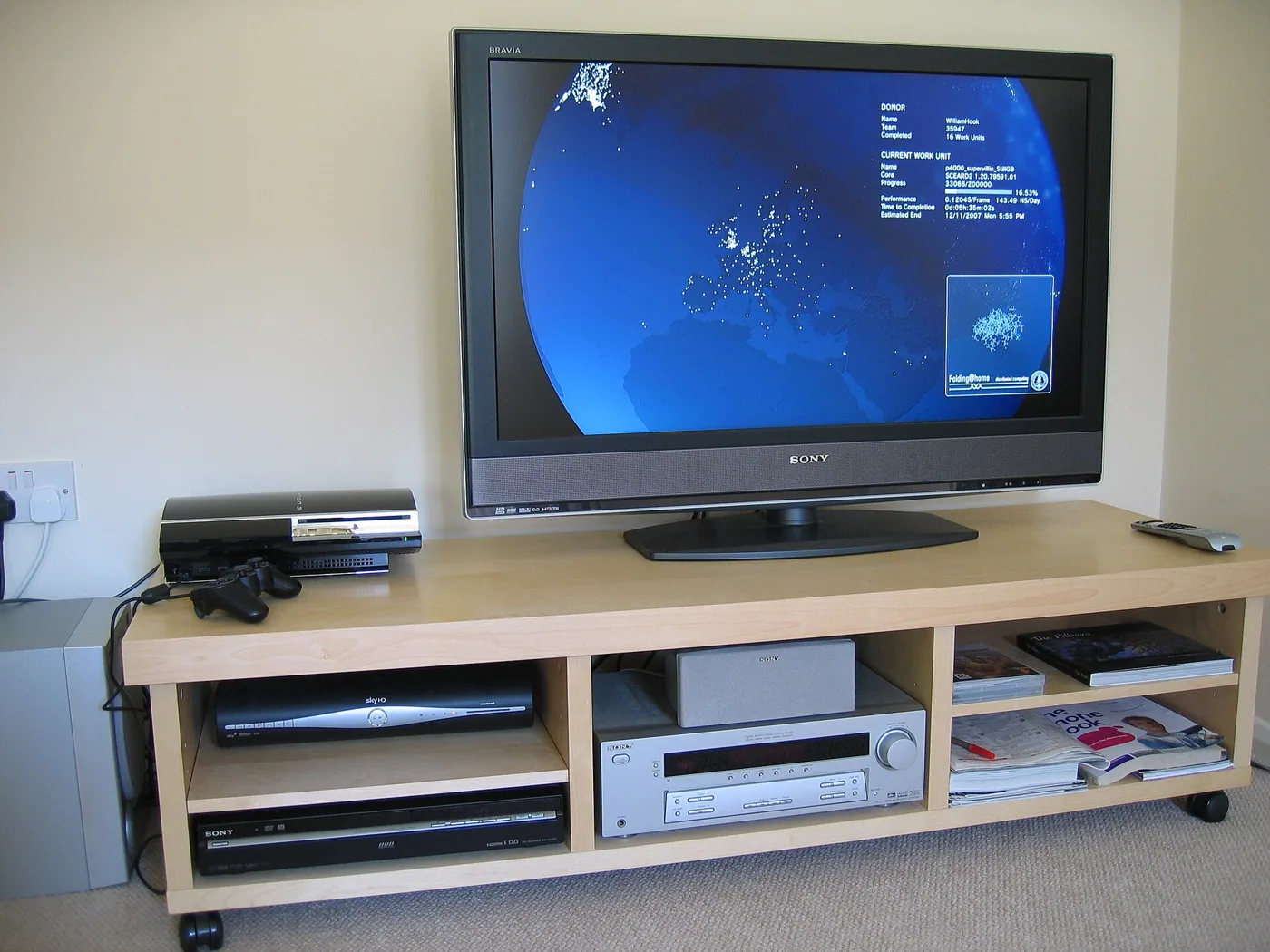
A stand height of 18 to 26 inches suits most seating, because a TV at the usual 20 to 30 inch bottom edge puts the screen center near seated eye level. With a 24 inch stand and a 55 inch TV whose own stand adds 3 inches, the screen center ends up at about 40 inches, which is close to ideal. A taller stand of 30 inches or more raises the screen center to 47 inches or beyond, and it is a poor match for a low sofa. A lower stand of 14 to 18 inches suits a deep low sofa, where the eye line sits at 36 to 38 inches.
The relationship between stand height and mount height is covered in more detail in how high a TV should be mounted. The short version: measure from your seat, then subtract the TV's height above its feet and the half height of the screen to find the stand height you need. If you are between two options, the lower stand is the better choice, since you can raise a TV with a riser but you cannot lower a tall stand.
Depth and what goes behind and beside the TV
Depth matters for stability and for ventilation. Most stands are 15 to 20 inches deep, which suits flat panels, as the base of a TV is only 8 to 12 inches deep. A shallower stand of 12 to 14 inches is acceptable if the TV's base is narrow front to back and the stand is stable, but it must have a counterweight or an anchor. A deep stand of 20 inches or more lets a sound system or a game console sit beside the TV, though it takes more floor space.
Behind the TV, allow 3 to 4 inches of clear space for cables and airflow. A stand with a solid back panel may force the plugs against the wall, and plugs with right-angle connectors fit better. Open backs and cable holes in the top surface are useful because they let you route power and HDMI without trailing across the top. The wire hiding guide explains routes in more detail.
Leaving room for a soundbar
A soundbar is usually 2 to 3 inches tall and 30 to 50 inches wide, and it sits in front of or below the TV's bottom edge. On a stand, the bar needs to fit between the feet or in front of the TV without blocking the screen, and a TV with a center pedestal leaves the most room. If the feet sit at the outer corners, the bar can sit between them, as long as the gap is wider than the bar. Where the feet are too close, a riser for the TV or a wall mount solves it.
Placement also affects the remote. A bar placed in front of the TV can cover the infrared sensor, so the remote stops working. Leave a space of an inch or two beneath the sensor or put the bar slightly forward. The soundbar placement guide covers these details and the position of a subwoofer.
Storage, open shelving and ventilation
Stands vary between open shelves, closed cabinets and a mix. Open shelving gives cooling and lets remote signals pass through, so it suits consoles, streaming boxes and cable boxes. Closed doors hide clutter but can trap heat, and a closed cabinet with a streaming box or a game console needs ventilation holes or the doors left open. Glass doors pass remote signals but not heat. If you choose a closed cabinet, check that there are holes in the back or sides, and use a stand that leaves a gap above the console.
Count what you need to store. A typical entertainment set includes a console, a soundbar, a streaming box, a handful of discs and remotes. Two shelves at 10 to 12 inches high and 15 inches deep hold all of this. A drawer helps with remotes and cables. If you plan to keep books or toys, choose a stand with a lower shelf with doors so that visual clutter stays out of sight.
Materials, build quality and what the listing hides
The top surface of a stand takes the weight of the TV, so its construction matters more than the finish. Solid wood and plywood tops are strong and stay flat. Particleboard and medium density fiberboard tops are common at the budget end and are fine if the span is short, but they sag over long spans of more than 48 inches under a heavy set, and edges chip if the veneer is thin. Look for a center support or a fixed shelf under the top, which both reduce sag, a problem explained in the shelf sag guide.
Glass tops add a modern look but show dust and may crack under a point load, such as a TV pedestal with narrow feet. If a stand has a glass top, check that the weight rating covers a pedestal base. Metal frames are rigid but can feel lightweight, and a flat-pack stand with cam fittings loosens over time if it is moved often. Tighten the fittings once a year and check the legs for wobble.
Assembly is part of the cost. A typical flat-pack stand takes one to two hours, and its quality depends on the back panel, which is often thin hardboard. A stand that rocks on an uneven floor needs adjustable feet, since a rocking base transfers a wobble to the screen. Add felt pads to protect floors, and place a level on the top before the TV goes on.
A measuring checklist before you order
Work through the list with a tape measure, because the usual returns come from skipped steps. First, measure the available wall width and the space on each side of the planned position, including skirting and any outlet. Second, measure the TV's width and the distance between its feet, using the manufacturer's specification and not the box. Third, measure your seat's eye height and the sofa distance, using the method in the viewing distance guide.
Fourth, measure the devices that will sit on or in the stand, since a console or a receiver can be 17 inches wide and 4 inches tall, and shelf openings are often smaller than they look. Fifth, check the doorways and stairs on the way into the room, since a fully assembled stand can be over 60 inches long and heavy. Sixth, locate the nearest outlet and decide where the power strip will sit, so the cord does not run across the floor.
Corners, narrow rooms and rooms where the stand must be small
In a narrow living room, a stand of 16 inches deep can intrude into a walkway that is already 30 inches wide. A slim console of 11 to 13 inches deep keeps the path clear, but you must check the TV base against its depth, since a pedestal base of 12 inches deep on a 11 inch shelf will overhang at the back. Wall mounting the TV and keeping only a slim shelf below is often the best compromise in these rooms.
A corner stand angles the TV across the corner and frees the wall space, but it pushes the screen further into the room and creates a dead space behind. If the room's layout forces a corner, make sure the stand is wide enough for the feet and deep enough for the TV to sit fully on the top, since many corner stands have shallow triangular tops. The topic is covered in the corner TV placement guide.
Weight, stability and safety
Check the weight rating of the stand against the TV. A 65 inch set weighs 40 to 70 pounds, and a stand's top rating is usually listed as 100 to 200 pounds or more. Choose one with a rating at least twice the TV weight, since the stand also carries a soundbar and console. A stand with thin legs on a long span can sag, which looks like a bow in the top, and can make the TV tilt.
Stability matters most with children and pets. A light stand with a heavy TV on top is top-heavy and can tip if a child pulls on a cable. Choose a stand with a wide base, anchor it to the wall if possible and strap the TV to the stand using the kit supplied. The principles are explained in the guide to anchoring furniture to the wall, and they apply whenever a heavy screen sits on furniture.
Frequently asked questions
How wide should a TV stand be for a 65 inch TV?
A 65 inch TV is about 57 inches wide, so a stand of 62 to 74 inches works well. Check the foot spacing, because a set with corner feet needs a stand wide enough to support both feet fully.
Can a TV be wider than its stand?
It can if the feet are inside the stand edges, but a large overhang looks unbalanced and is a stability risk. If the set is wider than the stand, wall mounting is usually better.
How tall should a TV stand be?
Between 18 and 26 inches suits most seating, aiming for the screen center at seated eye level. Choose a lower stand for a low sofa and a higher one for a firm tall seat.
Do I need a deep stand for a soundbar?
Not necessarily. A soundbar is 3 to 4 inches deep and fits on a stand of 15 inches in depth, provided the TV base and the bar can sit together. A deeper stand is useful for a console and a subwoofer.
Is a closed cabinet bad for electronics?
It can trap heat. Pick a stand with ventilation holes, leave the doors open when devices are on or choose open shelving for hot devices such as game consoles.
Bottom line
Start with the TV's panel width and its foot spacing, then choose a stand 4 to 12 inches wider on each side. Pick a height that puts the screen center near seated eye level, a depth of at least 15 inches and a weight rating twice that of the TV.
Then plan the details: a soundbar that does not block the sensor, ventilation for hot devices and an anchor or strap for stability. If the numbers do not work, a wall mount with a slim console below is often the cleaner answer.