When people shop for a television they compare diagonal sizes as if bigger were simply better, and then discover in their own living room that a 85 inch set makes the front row of the sofa feel like the front row of a cinema. Screen size is only meaningful in relation to how far away you sit. The same panel that looks modest from 12 feet looks overwhelming from 6.
This guide explains the relationship in numbers: a formula you can use with a tape measure, the field of view that makes viewing feel immersive and not exhausting, how resolution changes the minimum distance, and the room-specific factors that make the largest screen a poor choice. It ends with a table you can use at the store.
Two ways to measure the match
There are two common methods, and they give similar answers. The first is a multiplier on the screen diagonal. For high definition, the old guideline placed the viewer at 1.5 to 2.5 times the diagonal away. For 4K, which has four times the pixels, the sitting distance can fall to about 1.0 to 1.5 times the diagonal, since individual pixels disappear at a shorter distance. Using the inverse, you can calculate the size as distance divided by the multiplier.
The second method uses the field of view, the angle the screen occupies in your vision. Cinema standards suggest 30 degrees as a minimum for an engaging picture and about 40 degrees as the most immersive for home viewing. Beyond about 50 degrees, you must turn the head to follow action, and for sports or news with graphics near the edges, that becomes tiring. The method is helpful because it is independent of resolution and works for any screen shape.
For a 16:9 screen, the screen width is about 87 percent of the diagonal. A 65 inch set is therefore roughly 57 inches wide. Seated 8 feet (96 inches) away, it fills about 33 degrees of view, a comfortable and engaging figure. The same set at 5 feet (60 inches) fills about 52 degrees, uncomfortably large for casual viewing.
The size and distance table
| Seating distance | Comfortable size range (4K) | Field of view at midpoint |
|---|---|---|
| 5 ft (60 in) | 40 to 50 in | About 35 degrees |
| 6 ft (72 in) | 50 to 60 in | About 35 degrees |
| 8 ft (96 in) | 60 to 75 in | About 33 degrees |
| 10 ft (120 in) | 75 to 85 in | About 32 degrees |
| 12 ft (144 in) | 85 to 100 in | About 31 degrees |
Measure from your eye position on the main seat to the screen surface, not from the wall. If you sit on a deep sofa that reclines you may sit further back than you think. The seat-back measurement is more accurate than the sofa's front edge, so use a tape from the back cushion where your head rests.
How resolution changes the answer
Resolution matters because your eye can resolve detail only up to a point. A person with typical vision distinguishes detail of roughly one arc minute, so beyond a certain distance the individual pixels blur together and extra resolution gives no visible gain. For a 65 inch 4K screen, pixels disappear at about 4 feet, so at any normal seating distance the picture looks smooth. A 65 inch 1080p screen would show pixel structure at 8 feet or so, which is why larger HD sets can look soft.
For the buyer this has two consequences. First, if you plan to sit within 8 feet of a large screen, choose 4K, as a lower resolution looks soft at that range. Second, 8K adds almost nothing in a living room, because the improvement needs a seat so close to the screen that the field of view becomes uncomfortable. Content matters as well. Most streaming and broadcast material is below 4K, and a bigger screen magnifies compression flaws, so a very large panel may reveal a weak source more than a moderate one would.
Why the biggest screen that fits is often wrong
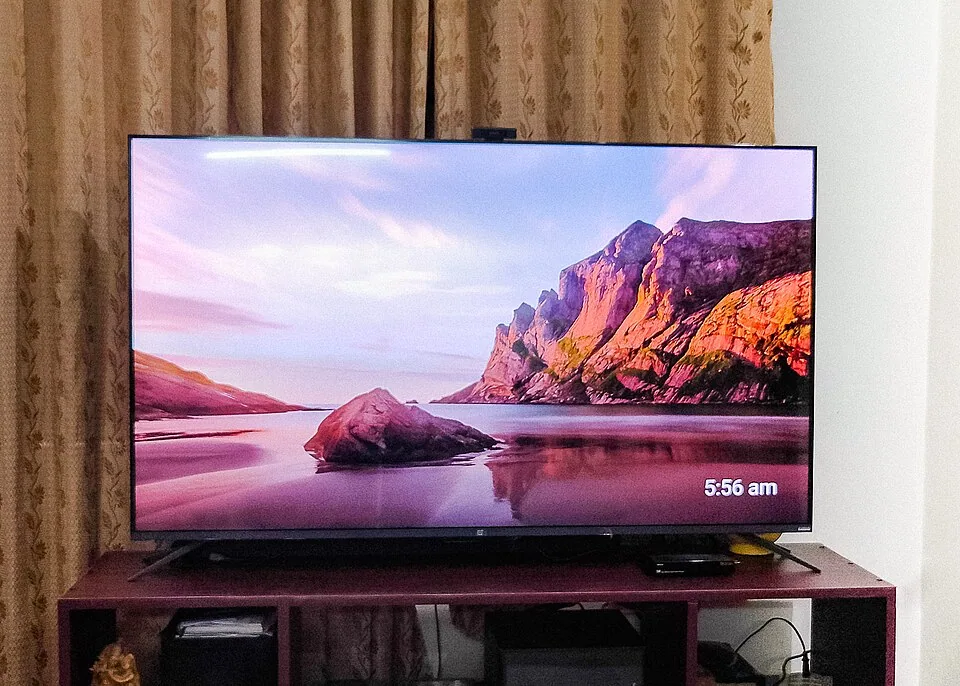
A large screen in a small room has three costs. The first is the field of view, which grows until it exceeds comfortable limits. The second is brightness: a big LCD or OLED panel fills the visual field with light, and in a dark room that can feel harsh and tire the eyes, even if the picture is excellent. The third is that a wall-sized black rectangle dominates the room when off, which matters if the TV is in a living space more than a dedicated theater.
The typical case is a living room 12 feet wide with the sofa 7 feet from the wall. The size calculation points to a 55 to 65 inch set, while the shopper is tempted by 75 or 85 inches on the grounds that it is only a bit more expensive. At 75 inches from 7 feet, the screen is about 65 inches wide and fills 42 degrees, which is near the upper limit and makes subtitles and scoreboards sit far to the side. For fast sports, a size that lets you take in the whole picture without moving your head is better.
The reverse error is also common. A 43 inch set at 10 feet gives a field of view of only 20 degrees, which is weak for film. People often buy a small TV for a big room, then complain that it feels like watching through a letterbox. If the room is large, size up.
Room factors that change the number
Several features of the room shift the answer. Ambient light is the first. In a bright room with large windows, a bigger screen helps to compensate for washout, but you should also choose a model with strong brightness and low reflections, and plan the curtains. Wall width is the second: the TV plus a margin of 6 to 12 inches on each side should fit in the space where it sits, particularly if it is between windows or inside a niche. The TV stand size guide explains how the width of the stand relates to the set.
Seating position is the third. A sofa against the back wall, a common layout in narrow rooms, places viewers at a fixed distance. Where seating is movable, such as a sectional that can be pulled forward, you can adjust the distance to suit a bigger screen. Viewing angle also matters: wide viewing angles from side seats favor OLED and some LCD types, and TVs viewed at 30 degrees or more off-axis lose contrast on narrow-angle panels. Check where people actually sit, not just the center seat.
Finally consider the audio. A bigger TV in a small room often pairs with a soundbar, and the screen height and bar position interact, as discussed in the soundbar placement guide.
What you watch changes the target
The field of view you want depends on the content. Film and drama reward a wider picture, and viewers who care about cinema often aim for the 40 degree end, which suits a dark room and a seat positioned 1.2 times the diagonal from the screen. Sports and news are different, since scoreboards, tickers and graphics sit near the edges, and a screen that fills 30 to 35 degrees lets you read them without turning. Console gaming adds a third factor: a competitive game with a heads-up display at the edges is more comfortable on a screen that fills about 30 degrees, while a slow story game works well on a larger one.
Households that watch a mix of all three should pick the middle of the range, around 33 to 36 degrees, and let the viewing position adjust for special cases. A sofa that can be pulled forward for a film night, or a pair of chairs that sit nearer for gaming, gives flexibility that a bigger screen does not. If the room is used by several viewers at different distances, size the screen for the main seat and check that the farthest seat is not beyond about 2.5 times the diagonal, where small text becomes hard to read.
Reading the size on the listing
Screen size is quoted as a diagonal measured corner to corner across the glass, not the width. The overall width of the TV is larger by the bezel, which on modern sets is only a quarter inch to an inch, and by the feet if it stands on a table. A 65 inch panel is about 57 inches wide at the screen, but with feet that sit near the outer edges the stand footprint can be 50 to 56 inches, or if the feet are at the corners, nearly the full 57. Listings usually give the dimensions with and without the stand, and the second set is the one to check against furniture.
Also note the aspect ratio. Almost all televisions are 16:9, but ultrawide monitors and some projector screens are 21:9, which for the same diagonal give a wider and shorter picture. If you buy an ultrawide, work from the width and the field of view, since the diagonal rule overstates its apparent size. Curved screens are rare in living rooms because they reflect light from several directions and look odd from side seats, so a flat panel is the safer choice for a shared space.
Projectors and very large screens
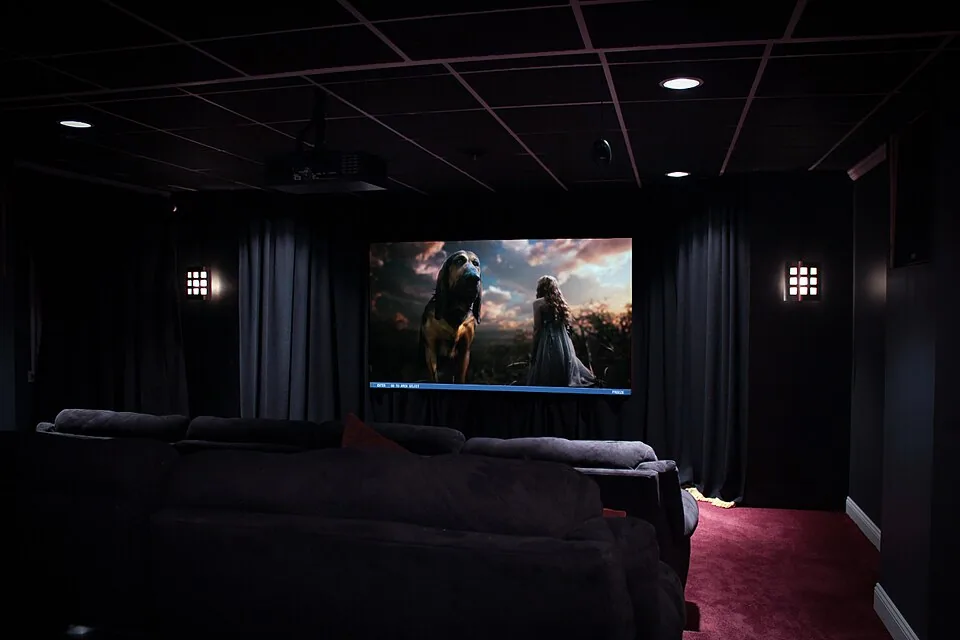
If the numbers point to 85 inches or more, consider a short-throw projector with an ambient light rejecting screen as an alternative, since large panels cost much more per inch than a projector setup. These work in rooms with controlled light, and the same field of view rules apply: a 100 inch screen suits a seating distance of 10 to 12 feet. Be aware that projectors need a dim room and a flat, matte surface for good contrast, and that the lamp or laser has a rated life, so they are less convenient than a TV for daily casual viewing.
For a mixed-use living room, a TV is the practical choice up to about 85 inches, while a projector makes sense for a dedicated media corner where daylight can be blocked. Whichever you choose, the viewing distance calculation is the same, so settle the distance first, then the technology.
Height and distance go together
A larger screen is also taller, which affects the mounting height and the clearance above a stand. A 75 inch TV is about 37 inches tall, and its center should still sit near seated eye level, so the bottom edge may hang as low as 23 inches off the floor. See how high a TV should be mounted for the heights that work with each size.
How to test before you buy
Before ordering, mark the screen size on the wall with painter's tape or newspaper. The width of a 65 inch 16:9 panel is about 57 inches and the height is about 32 inches, and a 75 inch is 65 by 37 inches. Stand or sit at the main seat and look at the shape for a few minutes. Ask yourself two questions: can I see the whole screen without turning my head, and does it dominate the room when it is off? If the first answer is no, size down. If the second is a problem, consider a frame-style TV or a darker wall color to reduce the contrast.
A store display is a poor guide. Showrooms are bright and the set is viewed from a few feet away, and the picture settings are on vivid mode. Take the number from your own measurements and not from the showroom impression, and the result will feel right in the room for years.
Frequently asked questions
What TV size is best for a 10 foot viewing distance?
A 75 to 85 inch 4K set fits a 10 foot distance well, filling about 32 degrees of your view. A 65 inch set is adequate if the room is bright or if you prefer a more modest screen.
Can a TV be too big for a living room?
Yes. When the screen fills more than about 45 to 50 degrees of your view, you have to move your head to follow the action, and the room feels dominated by the screen. Size down if the seating is close.
Is 4K worth it at a normal distance?
For screens above 50 inches viewed from under 10 feet, yes, because a lower resolution looks soft at that size. For small sets viewed from further away, the difference is much harder to see.
Does 8K let me sit closer?
In theory, but in practice a seating distance that benefits from 8K would put the screen above 55 degrees of your view, which is uncomfortable. For living rooms, 4K covers the useful range.
How do I measure the viewing distance?
Measure from where your eyes are when you sit back on the main seat to the screen surface. For a sofa against a wall, use the distance from the back cushion, not from the front edge of the seat.
Bottom line
Measure from your seat to the screen, and use the table. A viewing distance of 8 feet suits a 60 to 75 inch 4K set, and every extra 2 feet adds about 10 to 15 inches. Aim to fill 30 to 40 degrees of view and resist the urge to go up a size simply because it is available.
Tape the outline on the wall for a day. If the shape feels natural at the seat and the room is not dominated by it when off, you have the right size. If it feels like too much, it is.