A TV mount is a small purchase that carries an outsized responsibility. It holds a large, fragile object off the floor for years, and its failure is usually sudden. Most mounting problems come from three avoidable mistakes: a bracket that does not match the TV's mounting holes, a rating that is too close to the TV's weight, and screws that go into drywall instead of wood.
This guide explains the three main mount types and what each is good at, how to read the VESA pattern and weight rating, how deep an extended arm sits from the wall, what stud spacing means for the bracket you choose and what to check before you drill. It does not replace the instructions that come with the mount, which take priority.
Fixed mounts
A fixed mount holds the TV flat against the wall at a set position. It is the slimmest option, with the TV sitting 1 to 2 inches from the wall, and the simplest, with few parts to fail. It suits a TV that sits at eye level in a room where the seating is directly in front of the screen. It also gives the neatest appearance, since the TV looks like a framed picture.
The limitation is access and adjustment. Because the TV sits close to the wall, reaching the ports at the back is hard, and the cables have to be plugged in before mounting. A fixed mount also cannot be angled, so if the TV is high, the viewer has to look up, a drawback explained in how high a TV should be mounted. Fixed mounts also offer limited help with glare. Use one when you are confident about height and light, and plan the cabling in advance.
Tilting mounts
A tilting mount adds a vertical pivot that lets you angle the TV down by about 10 to 15 degrees, sometimes with a slight upward tilt as well. The TV sits 2 to 3 inches from the wall and can be pulled forward at the bottom to reach the connections. This is the best choice for a TV that must hang a little above eye level, such as over a console or in a bedroom, since the downward angle points the screen toward the seated viewer and reduces reflections from a window or lamp behind.
Tilt is also helpful for panels with narrow viewing angles. On many LCD screens, contrast and color fade when you look at them from above or below, and a small tilt keeps the viewer closer to the best angle. A tilting mount is more forgiving of a mistake in height, and it is a common recommendation for a first mount. It does not swivel, so it is not the right choice for a corner or an off-axis seat.
Full-motion mounts
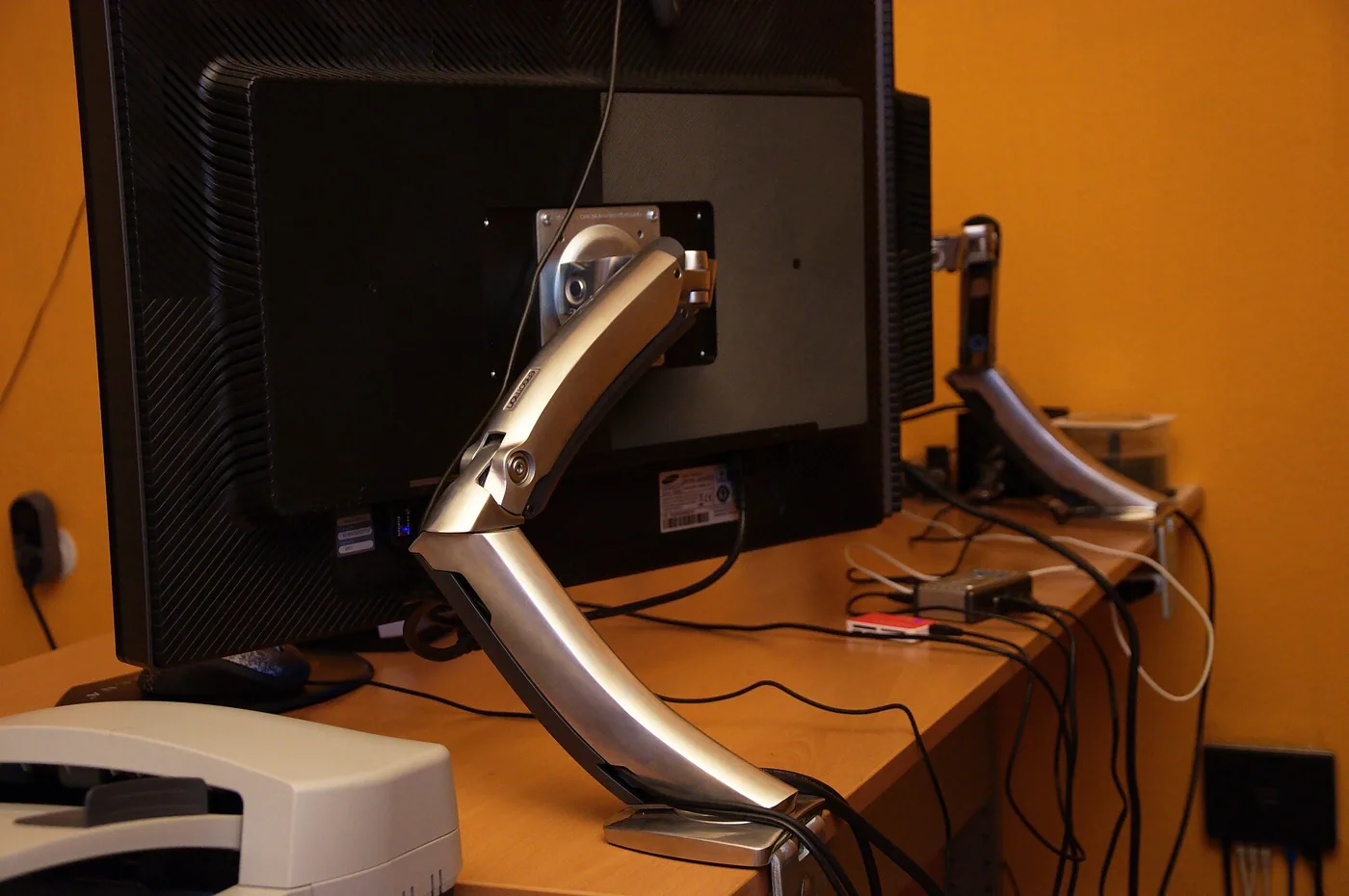
A full-motion mount, also called an articulating mount, extends the TV away from the wall on an arm and lets you swivel it side to side and tilt it up and down. Extension ranges from 12 to 28 inches or more depending on the arm. This gives you the flexibility to turn the screen toward a different seat, to face a corner or to pull it out and reach the ports.
The costs are depth, weight and load. When the TV is pushed against the wall, the mount sits 2 to 4 inches out, thicker than a fixed mount. When extended, the load on the wall is leveraged by the arm length, so a 60 pound TV on a 20 inch arm exerts a turning force on the top fixings that is several times its weight. That means studs are not optional, and the bracket should be attached to at least two studs, with lag bolts and not wood screws. Arms can also sag over time, so check them annually and tighten as needed.
| Mount type | Depth from wall | Adjustment | Best for |
|---|---|---|---|
| Fixed | 1 to 2 in | None | Eye-level TV, clean look |
| Tilting | 2 to 3 in | 10 to 15 degrees vertical | TV a bit high, glare control |
| Full motion | 2 to 4 in retracted, 12 to 28 in extended | Swivel and tilt | Corner, several seats, ports access |
| Ceiling or pull-down | Varies | Lowers to eye level | Above fireplace, high placement |
VESA patterns and screw sizes
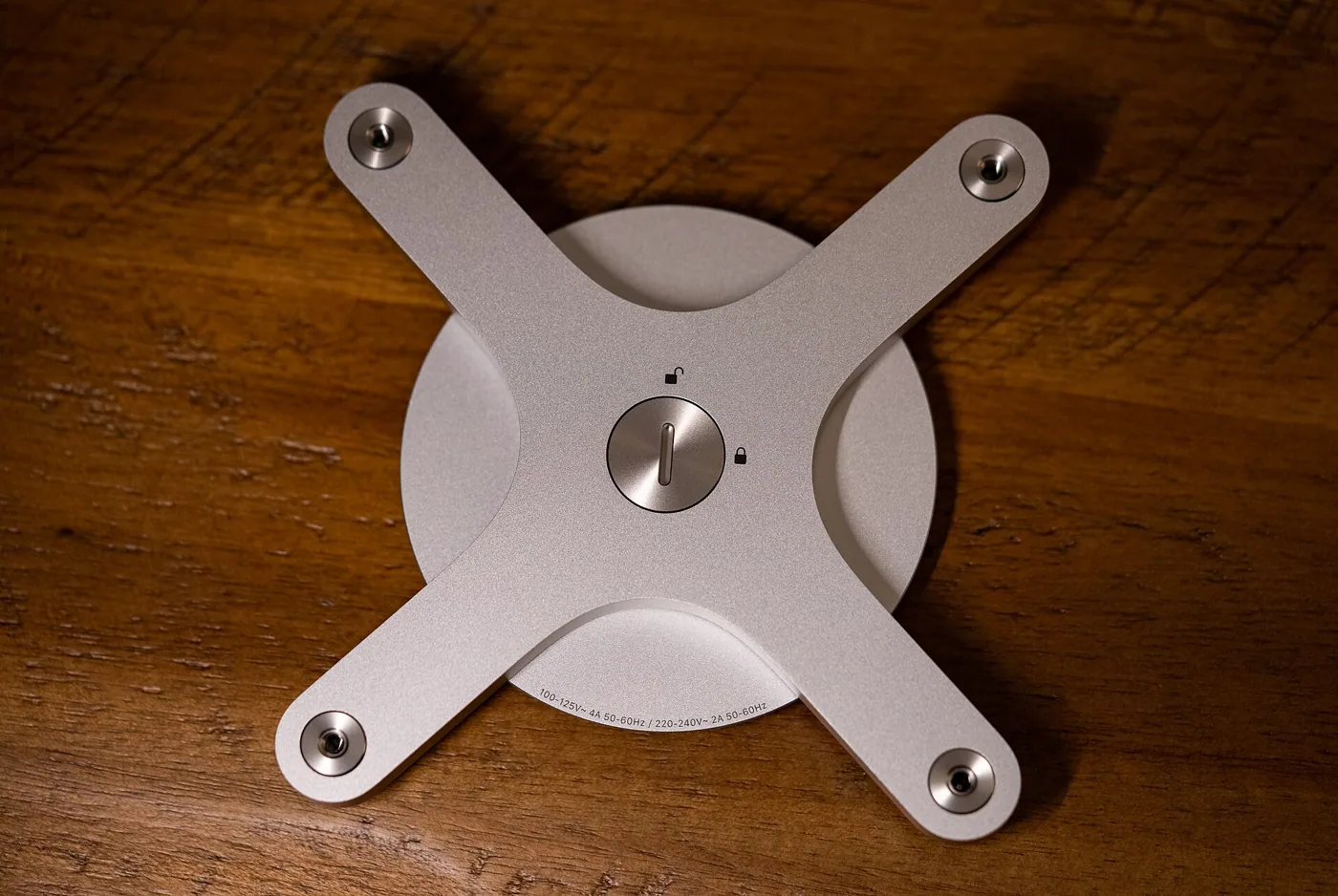
VESA is the standard hole pattern on the back of a TV. It is expressed as the horizontal and vertical spacing of the mounting holes in millimeters, for example 200 by 200, 400 by 400 or 600 by 400. Mounts list the patterns they support, and the TV's pattern must fall within that range. Smaller TVs use patterns such as 100 by 100 and 200 by 200, while large TVs use 400 by 400 or 600 by 400, and the largest use 800 by 400.
Check three things. First, the pattern, found in the TV's manual or specifications. Second, the screw size, usually M4, M6 or M8, which the TV's box specifies. Mounts include a bag of screws and spacers, and you must use the size that matches the TV. Using a screw that is too long can push into the circuit board, and one that is too short may not hold. Third, if the TV has a curved back or recessed holes, you may need spacers, supplied with the mount.
Not every TV is VESA compatible. A few designs, such as some very thin sets and frame styles, use a proprietary bracket supplied by the manufacturer. In that case, use the maker's mount or an adapter that is explicitly listed for the model. Do not force a universal bracket on an incompatible set.
Weight rating and safety margin
Every mount has a maximum weight rating. Check the weight of the TV without its stand, since the stand is detached, and compare it to the mount rating. A mount rated for 80 pounds is comfortable for a 50 pound TV. As a rule of thumb, choose a mount with a rating at least 1.5 times the TV weight, which gives a margin for dynamic loads such as pulling the TV out or a child leaning on it. A full-motion mount at the limit of its rating may flex.
Size ratings matter as well. A mount might be labeled for 37 to 70 inch TVs, but the weight and the VESA pattern are the controlling facts, and a very thin TV of 70 inches may weigh less than a bulky 55 inch one. Use the weight and the pattern, not the label. If you plan to buy a larger TV later, choose a mount that accepts it now, since the cost difference is small.
Studs, wall type and fixing
Mounts are designed to attach to wall studs, vertical wood or metal supports. In many houses these are 16 inches apart, though 24 inches is common in newer construction. A mount that covers two studs, as a wide plate does, is more flexible than one that fits a single stud, because it gives you more choice of where to place the TV. Use a stud finder and mark the edges of each stud, then drill a pilot hole at the center to confirm.
For a wood stud, use lag bolts, typically 5/16 inch by 2.5 to 3 inches, with a washer, driven in until firm but not overtight. The bolt should penetrate the stud by at least 1.5 inches, which means longer bolts for walls with thicker drywall or plaster. For a metal stud, use mounting hardware rated for steel studs, such as toggle bolts, and check the maker's guidance, since metal studs flex. For concrete or brick, use sleeve anchors and a hammer drill, and be sure the mount is rated for masonry.
If the wall has no stud where you want the TV, there are two ways to handle it. A wide plate can reach studs on either side, or a mounting board, a piece of plywood fixed to two studs, can offer a larger surface for the mount to attach to. A mount fixed to drywall alone is not safe. The principle is the same as with tall furniture, discussed in anchoring furniture to the wall.
Choosing by the room you actually have
Walk through the room and match the mount to the real situation. If the TV hangs on the main wall opposite one sofa at eye level, a fixed mount is the right answer, and its slim profile is a bonus. If the same TV hangs above eye level, over a console that is taller than usual, choose a tilt mount so you can angle it down. If the TV has to be visible from a kitchen counter and a sofa that sit at an angle to each other, a swivel arm is the only mount that solves both, and you should pick one with enough extension to reach the angle without hitting the wall.
Children and pets change the maths. A full-motion arm that sticks out into the room is a bump hazard, and a fixed mount tucked against the wall is safer. A TV low enough for a toddler to touch needs a mount with a lock and a screen that cannot be pulled off the hooks. In rented homes the choice depends on how much damage the landlord tolerates, since each mount means a set of lag bolt holes, and a stand with an anchor strap may be a better fit than a wall mount.
Finally, think about the next TV. A mount may be reused for a second or third set. Choose a VESA range that includes larger patterns and a weight rating above what you need now, and you will not have to take the wall apart when the screen is replaced.
Ports, inputs and service access
It is easy to forget that you will need to reach the back of the TV again. New devices, a broken HDMI cable or a replaced soundbar all require access to the input panel. On a fixed mount, the panel sits 1 to 2 inches from the wall, and many people cannot reach it at all. Before you hang the TV, connect and test every cable and label them, and add a short right-angle adapter on any port that faces the wall. On a tilt mount, you can pull the bottom of the screen forward to reach ports along the bottom edge, which is why those mounts are better for sets with side or bottom connections.
Some TVs have a side-facing panel for HDMI, USB and antenna. A mount that is wider than the TV can cover it. Check the dimensions of the mount against the TV's back, and keep a gap around the ports. Also leave 2 inches of clearance around the vents, since a TV packed against a wall without airflow runs warm, a concern especially for sets in a recessed niche.
Corner, ceiling and pull-down mounts
Corner mounts fit across a 90 degree corner and typically offer swivel so the TV can face the room. They suit a room with a corner as the focal point, and the corner TV placement guide covers when that works. A pull-down mount, designed for placement above a fireplace, lets you lower the TV to eye level when you watch, then push it back up. These cost more and have more moving parts, but they solve the neck strain of a high TV. Ceiling mounts suit a bedroom or a loft where wall space is not available, and they require a joist or rafter for the fixing.
Cables, install height and planning
The route of the cables affects the choice of mount. A fixed mount leaves little room, so the cables should be run in an in-wall kit or a raceway, as explained in how to hide TV wires. A full-motion mount needs extra slack, since the arm moves, and the cables must be fixed in a way that does not strain the connectors. A cover that fits on the arm helps.
Before you drill, tape the TV outline on the wall and check the height with a seated test. Attach the wall plate first, check it with a level and then lift the TV onto the plate with a helper, since a 50 to 70 pound TV is awkward for one person. Tighten the safety screws that lock the TV onto the bracket, and test by pulling gently down and out. Many mounts have a lock that stops the TV lifting off the hooks, and it should always be engaged.
Frequently asked questions
What is VESA on a TV?
It is the standard spacing of the mounting holes on the back of the TV. A mount lists the VESA patterns it supports, and the TV's pattern must fall within them. Check the manual before you buy.
Can I mount a TV on drywall alone?
Not safely. Drywall cannot hold the weight, and the bolts will pull out under load. Fix the mount into studs, or into a board fastened to the studs.
Do I need a full-motion mount?
Only if you want to angle the TV toward different seats or reach the ports. A fixed or tilting mount is lighter on the wall and simpler. Use full motion where flexibility is worth the extra depth and load.
How far does a full-motion mount stick out?
Most sit 2 to 4 inches from the wall when retracted and extend 12 to 28 inches. Check the extension against the layout of the room, since a long arm can reach a nearby sofa.
Is it OK to mount a TV on a metal stud wall?
Yes, with hardware rated for steel studs. The pull-out strength is lower than in wood, so choose a mount and bolts recommended for metal studs, or use a mounting board.
Bottom line
Choose the simplest mount that does the job. Fixed for an eye-level TV, tilt for a high one and full motion only when you need the flexibility. Check the VESA pattern and the weight rating with a margin of 1.5 times, and fasten to studs with lag bolts.
Plan the cables, test the height with tape and lock the TV on the bracket. A mount installed with care will outlast several televisions.