A soundbar is the most common upgrade to a flat-screen television, and the most common reason people are disappointed with one. The speaker is fine; the placement is the problem. A bar pushed up against a wall inside a cabinet, hidden behind a lip, or pointed at the ceiling because it was sitting on a shelf above the TV sounds muddy and thin. A few inches of position can decide whether dialogue is clear.
This guide covers the standard placements, the TV's infrared sensor that a soundbar can block, the reason the center of the bar matters, where the subwoofer goes and how to deal with the awkward rooms: open sides, a bar in a cabinet or a TV that sits on a table with narrow feet. It uses generic distances and angles that apply to most soundbars, and the manual for your model takes priority.
Below the TV: the default that works
Most soundbars are designed to sit directly under the TV, centered on the screen, with the speaker grille facing forward. This puts the dialogue, which is carried by the center channel, at the same horizontal position as the picture, so voices appear to come from the screen. Center the bar by measuring from the edges of the TV, and not by eye alone, since a bar a few inches off center is noticeable on a large set.
Place the bar as close to the front edge of the console or shelf as you can, with the grille free of obstructions. A lip on the front of a shelf, or a TV stand with a raised border, will block part of the sound and cause the bar to sound boxed in. If the console has a deep top, set the bar flush with the front and keep other objects, such as decorative items, away from the grille.
The bar should not touch the TV's screen or the bottom bezel in a way that blocks the picture. A bar with a height of 2 to 3 inches fits under most TVs whose feet create a gap of 3 inches or more, but some TVs sit lower on a center pedestal and leave no space. In that case, choose a bar designed to be low, tilt the TV on a riser or mount the bar on the wall.
The TV's remote sensor
The infrared sensor on a TV sits in the bottom bezel, often near the center or a corner. A soundbar placed in front of it blocks the remote's signal, so the TV stops responding to the remote even though the bar is fine. Before positioning the bar, find the sensor, usually a small dark window, and check that the bar is not in the line of sight to where you sit. If it is, the quick fixes are to move the TV up with a riser by an inch or two, place the bar slightly forward so the sensor sees over it, or use the TV's own remote through an infrared repeater.
Many bars offer an infrared pass-through, so the TV remote works through the bar. If your bar has this feature, it is described in the manual as an IR relay or learning remote. Without it, a small infrared extender with an emitter on the sensor solves the issue. Bluetooth and radio remotes do not have the problem, and an app control sidesteps it. It is worth testing the remote before you hide the cables behind the console.
Wall-mounted soundbars
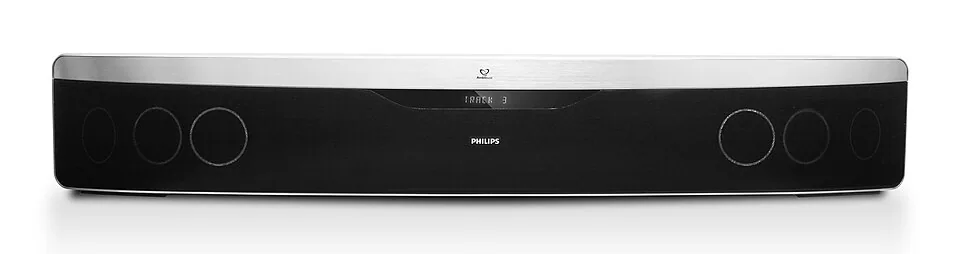
When the TV is on the wall, the bar can be mounted below it with brackets, usually included, in line with the screen. Center it 2 to 3 inches under the bottom edge so the gap looks intentional and the bar does not touch the screen. A narrow gap is neater, but check that the TV does not tilt into the bar and that the cables can pass behind it.
Mounting the bar adds height, and this changes the TV's position. A bar 3 inches tall and the 2 inch gap take 5 inches below the screen, which is worth bearing in mind with the recommended screen center height described in the TV mounting height guide. A bar mounted in the wall below a TV at eye level may sit at 24 inches or so from the floor, which is acceptable if there is a console below, but check for clearance.
Use the bracket that fits the bar, and fix it to a stud or use rated anchors. Many bars weigh 5 to 15 pounds, and some with an integrated subwoofer weigh more. Use a level and mark the stud centers, since the keyhole slots on the back of the bar must align with the bracket screws. Run the cable behind the TV, as covered in how to hide TV wires.
Dialogue, height and the center channel
Dialogue is the main sound of films and television, and it is carried by the center channel. In a soundbar, the center driver is in the middle of the bar, which is why centering matters. If the bar is mounted too low, voices come from below the picture, a slight but noticeable mismatch, and if the bar is above the screen, voices appear to come from the ceiling. Most people tolerate a bar below the screen well, because it matches the tendency of a voice to come from below the face on screen.
For best results, the speaker should be at about ear height when you are seated, which is 38 to 42 inches, or no more than 10 to 15 inches below it. A bar on a low console at 18 inches is a bit below ear height, which blunts higher frequencies. Many bars have an equalizer or a voice mode that raises dialogue clarity, and you can angle a bar slightly upward with a small wedge to compensate. If the bar fires upward for height effects, as Dolby Atmos models do, it needs a ceiling that is flat, not too high and not covered in acoustic tile or a beam. The ceiling should be about 8 to 10 feet and reflective.
Subwoofer placement
Bass is the part of the system where room position matters most. A wireless subwoofer can sit anywhere there is a power outlet, but where it stands changes the sound. Placing it in a corner boosts the bass by loading the walls, which can sound boomy. Placing it along a wall gives a more balanced result, and placing it in the middle of a room reduces the bass. The usual advice is to try three positions near the front of the room and listen with a familiar piece of music or a film scene.
A trick that works is the crawl test. Put the subwoofer in the seat where you normally sit, play a bass-heavy track and crawl around the room to find the place where the bass sounds best. Place the subwoofer there. The reasoning is that the pairing of speaker position and listening position is symmetrical, so the best place for the listener is also the best place for the sub. Keep it a few inches from the wall to avoid a rattle, and do not hide it behind furniture that blocks the port.
If the sub has a polarity or phase switch, try both settings. In a living room with an open side, the bass may leak into the next room, and a lower setting may help neighbors. Subwoofers on a hardwood floor can transmit vibration, and a thick rug or a foam pad reduces the rumble, as described in the guide to rug pads.
Awkward rooms and open sides
The room shape changes what a soundbar can do. A bar fires sound forward and relies on the room to reflect some of it. In a room with an open side, such as an open plan living area with a kitchen, sound escapes and the stereo image weakens. A bar with side-firing drivers or a wide soundstage mode helps, but the effect depends on nearby reflective surfaces. Moving the sofa closer to the bar, placing it within 8 to 10 feet, concentrates the sound.
Corners can cause trouble, too. A TV in the corner means the bar sits against two walls and creates reflections, and the stereo image shifts toward the center of the room. Angle the bar toward the seating, and keep the sofa on the axis of the screen, as discussed in the corner TV placement article.
A large glass table or window next to the bar reflects high frequencies and can make dialogue sound harsh. Curtains, rugs and soft furniture absorb and tame the reflections, which is the same effect as in reducing echo in a living room. A room that is highly reflective might benefit from a rug and curtains more than a new soundbar.
Putting a soundbar in a cabinet or niche
Avoid placing the bar inside a shelf or cabinet, because the sound reflects off the surrounding walls and becomes muddy. If the bar must sit in a niche, make sure the grille is flush with the front edge and the niche is at least an inch taller than the bar and wider by an inch on each side. Some bars have a wall-mount mode that changes the equalization for a position near a wall or inside a niche. Check the settings for options.
The same applies to the TV stand. A stand with a recessed top and raised sides can block the bar, and one with a glass top can reflect high frequencies. The details are covered in the TV stand size guide, which explains how to choose a stand with enough clearance.
How the bar connects and why it affects placement
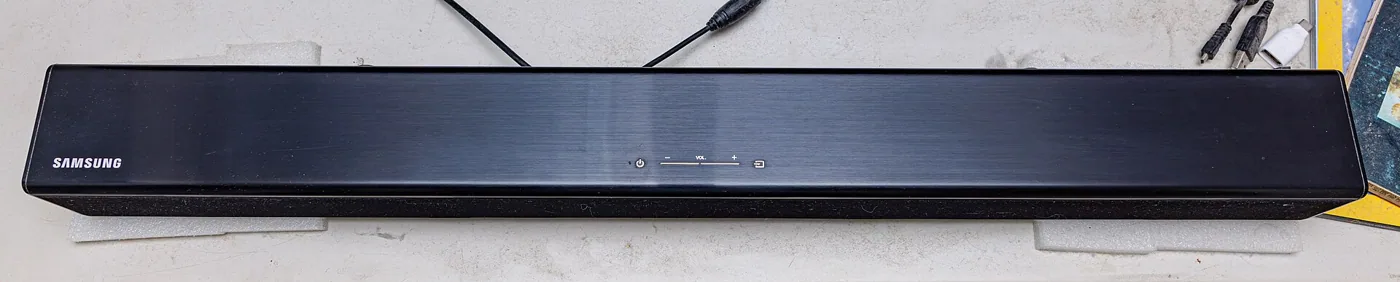
The cable you use decides how much of the placement advice applies. The simplest connection is a single HDMI cable from the TV's ARC or eARC port to the bar, which carries sound back from the TV and lets the TV remote control the volume. HDMI ARC is the most reliable option for apps and streaming, and eARC carries higher quality formats. An optical cable also works but has less bandwidth, with no support for the highest quality surround formats and often no remote pass-through.
Cable length shapes where the bar can sit. A bar that is 2 feet away from the TV connects with a short cable, but a bar mounted across a room, or one that must move to clear the sensor, needs extra slack. Right-angle HDMI plugs help in the narrow space behind a bar. If the bar sits in front of the TV on a shelf, the connector on the back of the bar should have a 2 to 3 inch clearance from the wall or the rear panel of the console, or the cable will bend sharply.
Tuning the bar after it is in place
Once the bar is set, spend ten minutes listening. Play a scene with spoken dialogue and then a musical passage. If voices sound thin or hollow, turn on the voice or dialogue mode and check whether the bar is too far from the front edge of its shelf. If the bass is boomy, lower the subwoofer level a few steps and move it a foot from the corner. If the picture and sound feel out of step, adjust the audio delay setting on the TV, since a bar processing a surround stream can lag by a fraction of a second.
Check the volume at the seating position and at the back of the room. A bar that sounds great from the middle of the sofa but weak at a side seat might benefit from a wider sound mode or from angling it a few degrees. Avoid placing the bar so it fires along a wall, since the reflections reduce clarity. Finally, consider the quiet hours. A night mode that reduces dynamic range prevents loud explosions from waking a neighbor, while leaving dialogue audible.
Frequently asked questions
Should a soundbar be in front of or below the TV?
Below, centered, with the front of the grille flush with the front edge of the shelf. Placing it in front of the TV screen blocks the picture and the remote sensor, and placing it above makes voices seem to come from the ceiling.
Why does my TV remote stop working with a soundbar?
The bar is probably blocking the infrared sensor. Move the bar forward, raise the TV by an inch or two, or use the bar's IR pass-through feature or an infrared extender.
Where should I put the subwoofer?
Try positions near the front of the room, along a wall or a corner. Use the crawl test to find the spot with the best bass, and keep it a few inches from walls to avoid rattles.
Can I put a soundbar inside a cabinet?
It is possible, but the sound will be muddier. Keep the grille flush with the front edge and leave extra space around the bar, or use the wall mode if the model has one.
Does a soundbar need a ceiling for Atmos?
Upward-firing speakers need a flat, reflective ceiling of about 8 to 10 feet. A very high, sloped or absorbent ceiling reduces the effect, and the benefit is smaller than with real overhead speakers.
Bottom line
Center the soundbar under the screen, keep it forward and clear of the remote sensor, and aim for ear height if you can. Place the subwoofer by testing three spots, and avoid putting the bar in a deep shelf.
If the room is open, bring the seating closer or add soft surfaces. A bar in the right place will sound better than a more expensive one hidden in a niche.