A closed cabinet is a tidy place to put a games console, a cable box, a streaming device and an amplifier, and it is a surprisingly good way to cook them. Every one of those devices turns most of the electricity it draws into heat, and a wooden box with a door and a solid back traps that heat. The first sign is usually a fan that roars during a game, a box that restarts at random, or a console that shuts down with a temperature warning.
The remedy is not exotic. Heat needs a path out and cool air needs a path in. This guide explains how heat builds up in a cabinet, how much space devices need, the cheap fixes of open backs, vent holes and spacing, when a fan is justified, and how to keep a remote working through a door that you do not want to leave open. It also covers the dust and cable problems that appear once you start opening things up.
How heat builds up in a closed cabinet
A device dissipates heat into the air around it, and that air rises, carrying the heat to the top of the cabinet. If the top is a solid shelf and the doors are shut, the warm air has nowhere to go, so it collects and its temperature climbs until the devices are sitting in a hot pocket. Meanwhile the intake of each device draws in that same warm air, so cooling gets worse as the cabinet warms.
The rate of build up depends on the load. A cable box or a small streaming stick produces modest heat, an AV receiver or amplifier produces more, particularly when driving loud music or a film, and a game console under load can produce a lot. A stack of several devices adds up, and in a small cabinet, the combined output can raise the interior temperature by many degrees above the room.
Heat shortens electronics in quiet ways. Capacitors age faster at high temperature, solder joints stress with repeated cycling, and fans clog with dust. Most devices have thermal protection that slows or shuts them off, so a failure is often a shutdown, not damage, but years of running hot reduce lifespan. The point of ventilation is both comfort in use and a longer life for the equipment.
How much space devices need
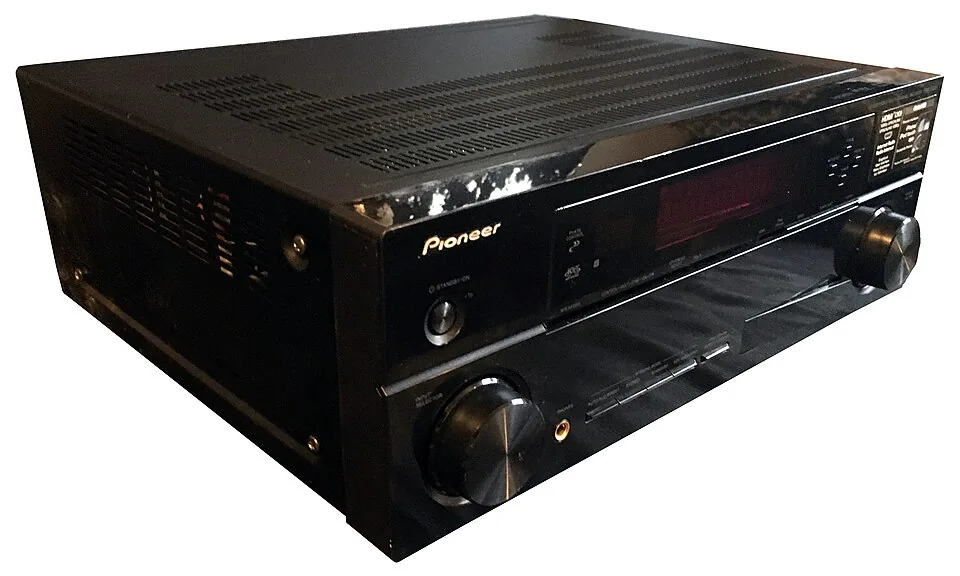
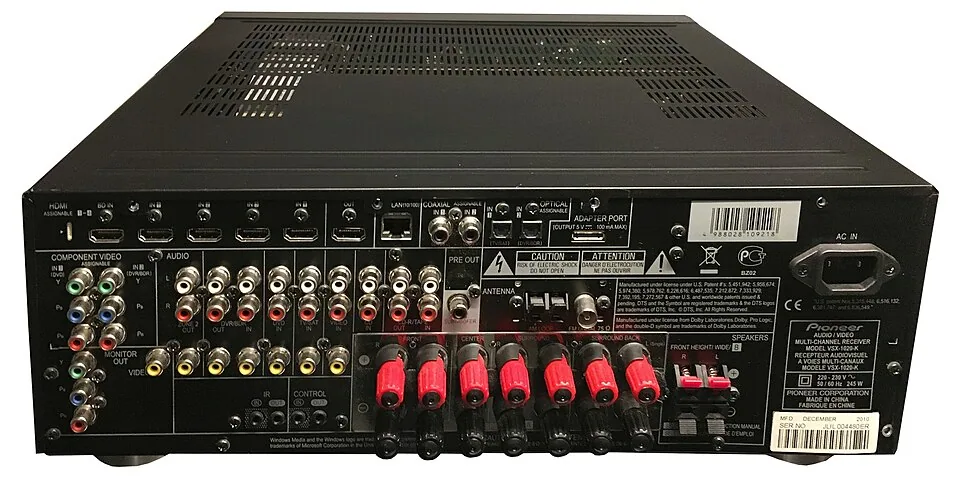
Look at the manual for each device, since manufacturers specify the minimum clearance for ventilation. A common pattern is open space above the unit, a gap at the sides and some distance from the back, with the vents left uncovered. Receivers and amplifiers typically need the most, and an enclosed cabinet is usually a place the manufacturer warns against without an open back.
If you cannot find the figures, a practical rule is to leave a few inches above and around each device and never place a warm device on top of another one. Do not stack a cable box on a console, and do not put a soft item, such as a cloth or a cushion, on top of any vents. Where the manual conflicts with the rule of thumb, follow the manual.
Check where the vents are. Many consoles and receivers draw air in from one side and exhaust from the back or top, so placing them against a wall of the cabinet blocks the intake. A game console turned on its side may have its fan facing the wrong way for the available space. Orient each device so its vents face open air.
| Fix | Effort | Helps most with | Limit |
|---|---|---|---|
| Open the cabinet back or cut a wire hole | Low | Letting hot air out and cool air in | Cabinet must be away from the wall by an inch or two |
| Drill vent holes or slots | Medium | Convection on solid panels | Cuts the look; needs care |
| Add spacers and shelves | Low | Gaps above and below devices | Needs a taller shelf |
| Fit a quiet thermostat fan | Medium | Tight cabinets with several devices | Noise, power outlet, dust |
| Use an IR repeater | Low | Remote control with doors shut | Does nothing for heat |
Open backs and wall gaps
The simplest improvement is an open back. Many media cabinets are sold with a solid or partly open rear panel, and some have only a cutout for cables. Removing the panel, or replacing it with a mesh or slatted one, allows warm air to leave at the back. If the cabinet stands flush against the wall, the wall acts as a new back panel, so pull the cabinet an inch or two away to keep the air moving.
An open back has side effects. Cables, dust and the back of the devices are visible if the cabinet stands in the room, so it suits a cabinet against a wall. Where the back faces the room, a fabric or mesh panel, or a perforated board painted to match, hides the view while letting air pass. Cabinets with a deliberately designed open back and a cable hole are a good buy, and our roundup of best entertainment centers notes which designs are ready for equipment.
Mind the wall behind. A wall that is warm to the touch after a long session is a sign of too much heat, and curtains near the back of a cabinet can block the airflow. Keep fabric away from the vents, and keep a few inches between the back and any wall with a baseboard heater or a radiator.
Vent holes, slots and grilles
When the cabinet has solid panels, cutting ventilation openings lets convection do the work. The principle is to create a low intake and a high exhaust: cool air enters at the bottom, warms as it passes the devices and leaves at the top. A few holes near the bottom of the door or the side, and a few near the top, set up a natural chimney effect without a fan.
Use a hole saw or a jigsaw for round holes or slots, or fit a ready made vent grille, available in brass, black and white. Make the openings generous: a handful of small holes in a thick panel moves little air, while a large grille or a row of slots moves much more. Sand the edges and seal bare wood so that dust and moisture do not damage it.
If the cabinet is a valuable piece, or a rental, you may not want to cut it. Choose a ventilated cabinet from the start, with slatted doors, a mesh insert or a cane panel. Cane webbing is both stylish and breathable, and perforated metal or wire mesh looks deliberate. Our guide to entertainment centers and TV stands covers designs, and open shelving is the easiest answer.
When a fan is worth it
A fan is justified where the cabinet is closed, the devices run hot and passive vents do not cope. Cabinet fans for AV equipment come in sizes that fit in a shelf cutout or sit on a shelf, with thermostat control that switches them on above a set temperature, so they stay silent when it is cool. Some plug into a power strip, and others use a USB supply.
Position the fan to move air in the direction convection is already working, usually pulling hot air out of the top or back, with intake low in the front. A fan that blows hot air back into the cabinet or fights the natural flow does little. Choose a model with a low noise level, since a whine during a quiet scene is more annoying than a warm box, and mount it on rubber feet to reduce vibration.
Fans add dust, since they pull air through the cabinet. Check and clean the fan and the vents on the devices every few months, with a soft brush and a vacuum, never a high powered blower held close. If the fan fails, the cabinet is hotter than before, so replace it promptly, and do not rely on it in place of proper spacing and venting.
Doors, remotes and sight lines
Doors give a clean look but cause two problems: heat and the remote. Most remotes use infrared, which does not pass through wood. Glass doors let the signal through in many cases, but tinted or coated glass can weaken it. If the remote fails with the doors closed, the choices are to leave them open while watching, use a Bluetooth or radio remote, or install an infrared repeater, a small receiver placed in view that forwards the signal to emitters near each device.
An IR repeater costs little and works well, but it does not fix the heat, so combine it with vents. For a cabinet with solid doors, the combination of an IR repeater, an open back and a few vent holes is a common and effective package. Some devices use Bluetooth or Wi-Fi remotes that work through doors, and a smartphone app can control many streaming boxes.
Door design matters for heat as well. Slatted, louvered and cane doors allow air to pass, and a door that opens fully and folds back out of the way is better than one that swings into the room. If you prefer the doors shut for a tidy look, make sure the back and top vents do the work, and open the doors during long sessions.
Cables, dust and housekeeping
Opening a cabinet for air also opens it to dust, so a quarterly clean helps. Vacuum the interior, wipe the shelves and clear the vents on each device. Keep cables tidy, because a nest of cables at the back blocks airflow, and tie them with Velcro straps. Run power cables separate from audio and video cables where you can, and use a power strip with surge protection to avoid a dozen adapters behind the devices.
Give each device room for its cables, since bent connectors strain the ports. If the cabinet is shallow, use right angle plugs or a deeper shelf. Our guide on hiding TV wires covers tidy routing, and the principle that air and cables must share the space applies in every cabinet.
Finally, check the surface the devices sit on. A soft surface such as a thick cloth, a rug or a foam pad blocks the bottom vents of a console, and a bare, hard shelf works best. Add small rubber feet where a device has none, so air can pass underneath.
Reading the signs of a cabinet that is too hot
Heat problems rarely announce themselves clearly. A streaming stick that drops its connection, a console fan that spins up within minutes, a receiver that mutes itself in protection mode and a picture that drops out for a second are all common symptoms. They are easy to blame on software, so it helps to keep a simple routine: after an evening of use, open the cabinet and feel the air near the top shelf and the surface of each device. Warmth that you can feel on your hand without touching is a warning.
A cheap digital thermometer placed on the top shelf gives a number to track. Compare it with the room temperature across a few sessions. If the gap is large and grows during the evening, you need more airflow. If it levels off at a modest difference, the cabinet is coping. Check again in summer, when the room itself is warmer and a cabinet that coped in winter may not.
Pay attention to dust too. A thick grey felt on the vents of a console, or a fan that clicks, means air has been struggling for a while. Clean it before you add anything new, since a clean device in a modest cabinet beats a clogged one in a large cabinet. Keep the area around the cabinet clear as well, so that room air can reach the intake without passing through a heap of cushions or blankets.
Frequently asked questions
How do I know if my cabinet is too hot?
Touch the shelf and the device surfaces after an hour of use. If the air inside feels clearly warmer than the room, or a device is hot to the touch, ventilation is poor. Warning messages, loud fans and unexpected shutdowns are other signs.
Can I put a game console in a closed cabinet?
Only if the cabinet has an open back, vent openings or a fan. Consoles produce a lot of heat under load, and the manual usually asks for open space around the unit. Leave the door open during play if you are not sure.
Do glass doors let the remote work?
Clear glass usually passes infrared, though tinted glass may not. Test the remote from your seat with the door shut. If it fails, an IR repeater solves it for a small cost.
Is a fan loud?
A quality thermostat fan is quiet and runs only when needed. Cheap fans can whine or rattle, so choose a model with a stated low noise level and mount it on rubber feet. If you can fix the airflow with vents, do that first.
Where should I put the amplifier?
On the top shelf or in a spot with open air above it, since amplifiers and receivers produce the most heat. Do not stack other devices on them, and leave the vents clear.
The bottom line
Give every device open air, open the back of the cabinet, keep gaps above and around each unit and add vent openings at the bottom and top if the panels are solid. Use a thermostat fan only where passive airflow is not enough.
If you want doors, choose slatted or cane ones, or use an IR repeater and open the doors during long sessions. Check the heat once after a long evening of use, and adjust before you accept a cabinet that is warm to the touch.