


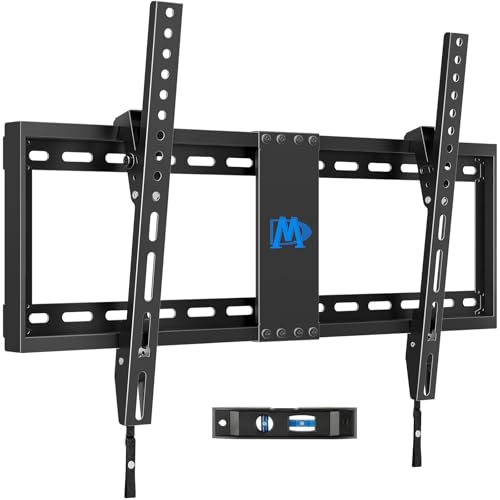

The monTEK tilt mount covers TVs from 43 to 100 in with a 200 lb rating, the highest in the lineup, and a slim, low profile bracket that keeps the screen close to the wall. The tilt adjusts 0 to 8 degrees downward without tools, which helps cut glare and improves the angle on a TV mounted a little above eye level. The listing stresses that you should confirm your TV's size, weight, VESA pattern and wall type before you buy.
It ranks first because the weight rating gives a wide safety margin for a large modern TV, and the tilt solves the most common problem of a wall mounted screen. The tradeoff is that tilt only moves the screen up and down, so you cannot swing it toward a sofa in the corner. Compared with the Perlegear long arm, it is simpler and slimmer but far less flexible. Compared with the Mounting Dream, it has a higher weight rating and a wider size range.
Install into at least two studs with the supplied lag bolts, use a stud finder and a spirit level, and keep the VESA holes and the TV's rear connectors in mind. Leave room above the screen for a soundbar and cables. Check the bolts again after a few weeks.
What works
- 200 lb capacity covers large TVs with a margin
- 0 to 8 degree tilt reduces glare without tools
- Ultra slim profile keeps the screen close to the wall
- Fits 43 to 100 in flat and curved screens
Watch out for
- Tilt only, so no side to side swing
- Needs studs or a suitable wall for a safe install
- Cable access can be tight behind a very slim mount
Specs
- TV size
- 43 to 100 in flat and curved
- Weight rating
- 200 lb
- Tilt
- 0 to 8 degrees down, no tools
- Profile
- Ultra slim, low profile
- Install
- Stud mount, check VESA and wall type