
Amazon affiliate links - we earn a commission.Affiliate disclosure

Buying guide · 13 min read · Updated 2026-11-25

Best Tilting TV Mounts (2026)

Seven tilting TV wall mounts compared on weight rating, VESA range, tilt angle, wall depth and stud spread, from slim 60 inch mounts to a heavy duty bracket.

Elena Hart, Lead Home EditorBy Elena HartLead Home Editor7 picks comparedSpec-sheet verified
Best Tilting TV Mounts

At a glance

Our top picks

Side by side

Spec comparison

A tilting TV mount holds the screen close to the wall but lets you angle it downward, which cuts glare and improves the viewing angle when the TV sits above eye level, such as over a fireplace or a console. It is simpler and cheaper than a full motion arm.

Tilt mounts look alike, but their weight ratings, VESA ranges, wall depth and wall plate width differ in ways that decide whether they fit your TV and your studs. We evaluated seven mounts on those specifications, the tilt range and the realistic install, since a wrong match means a second trip to the store.

Before you buy

6 Criteria to Look For Before Buying a Tilting TV Mount

  1. 01

    Weight rating and TV weight

    The mount's weight rating must exceed the TV's weight with a margin of at least 25 percent. Standard mounts at 115 to 150 pounds suit most TVs up to 85 inches, while TVs over 90 inches can exceed 100 pounds and need a heavy duty mount like the monTEK at 300 pounds. Always check the TV's weight in the manual.

  2. 02

    VESA pattern and plate size

    VESA is the bolt hole pattern on the back of the TV, listed in millimetres, such as 400 by 400 or 600 by 400. The mount's plate must support your TV's pattern. A TV may fit by screen size but fail on VESA, especially above 75 inches. Measure the holes before ordering.

  3. 03

    Tilt range and room layout

    A tilt of 7 to 12 degrees helps when the TV is mounted above eye level, such as over a fireplace. At eye level, tilt does little. The Mounting Dream offers 8 degrees, the SANUS 10 degrees and the extendable SANUS 12 degrees. Match the tilt to the mounting height.

  4. 04

    Wall depth and cable access

    Low profile mounts hold the TV 1.2 to 2 inches from the wall for a neat look, but leave little room to reach ports. An extendable mount like the SANUS pull out at 5.7 inches gives cable access. Decide whether you will change cables often.

  5. 05

    Stud spacing and wall type

    Most US walls have studs at 16 inches on centre, and the mount's plate should span at least two studs. A sliding plate, like the SANUS, helps when studs are off centre. Concrete, brick and metal studs need different anchors, so check the hardware.

  6. 06

    Certification and safety

    A UL listing means an independent lab has checked the mount against a safety standard. Many mounts do not carry it. Use the supplied hardware, tighten bolts evenly and add a safety lock if provided. Never exceed the weight rating.

Detailed reviews

The 7 best tilting tv mounts, explained

01
SANUS Tilting TV Wall Mount, 37 to 80 in TVs up to 130 lb, UL Listed, 10 Degree Tilt
37 to 80 in130 lb10 degree tiltUL listed
Check price on Amazon
Best for: Most 37 to 80 inch TVs, especially where stud placement is awkward.

A tilting mount for 37 to 80 inch TVs up to 130 pounds with up to 10 degrees of tool free tilt and a UL listing. The UL listing is a meaningful safety signal: it means an independent lab has checked the mount against a safety standard, which is more than most mounts at this tier can claim.

The feature that makes it the easiest to install is the sliding plate: after the wall plate is screwed into the studs, the TV can be shifted left or right to centre it, even when the studs sit off centre. This solves the most common frustration with wall mounting. Compared with the USX MOUNT, the SANUS has a lower size ceiling but stronger certification and easier centring.

Find the studs, use the supplied lag bolts into wood studs, and level the plate before hanging the TV. Check the VESA pattern of your TV against the mount, and have a helper hold the TV during hanging.

What works

  • UL listing gives an independent safety check
  • Plate slides to centre the TV on off centre studs
  • Tool free tilt of up to 10 degrees cuts glare
  • Stated 130 pound rating covers most TVs in range

Watch out for

  • Tops out at 80 inches, which is below the largest TVs
  • Low profile means limited cable access behind
  • Wood stud installs need the right lag bolts

Specs

TV size
37 to 80 in
Weight rating
Up to 130 lb
Tilt
Up to 10 degrees, tool free
Certification
UL listed
Centering
Plate shifts after install for off centre studs
02
SANUS Extendable Tilting TV Wall Mount, 46 to 90 in, 150 lb, 5.7 in Pull Out, 12 Degree Tilt
46 to 90 in150 lb12 degree tilt5.7 in extension
Check price on Amazon
Best for: Larger TVs mounted high where cable access and a wide tilt matter.

A tilting mount for 46 to 90 inch TVs up to 150 pounds that tilts up to 12 degrees without tools and pulls out 5.7 inches from the wall. The pull out is the rare advantage on a tilt mount: you can slide the TV forward to reach the ports and cables, then push it back flat, which is far easier than reaching behind a fixed low profile mount.

A 12 degree tilt is the widest in the lineup besides one heavy duty mount, and it suits a TV mounted high above a fireplace. The tradeoff is a thicker profile than a slim fixed mount, since the extension hardware stays on the wall. Compared with the 37 to 80 inch SANUS, it handles bigger screens and heavier TVs and gives better cable access.

Use stud mounting and check the extension for smooth action. Plan cable lengths for the pull out, and leave a little slack behind the TV.

What works

  • 5.7 inch pull out gives easy access to ports and cables
  • 12 degree tilt suits TVs mounted high above eye level
  • Handles TVs up to 90 inches and 150 pounds
  • Tool free tilt adjusts without removing the TV

Watch out for

  • Thicker profile than a slim fixed mount
  • Pull out adds a hinge that can loosen over time
  • Heavier mount needs two people to install

Specs

TV size
46 to 90 in
Weight rating
Up to 150 lb
Tilt
Up to 12 degrees, tool free
Extension
Pulls out 5.7 in for cable access
Type
Tilt with short extend
03
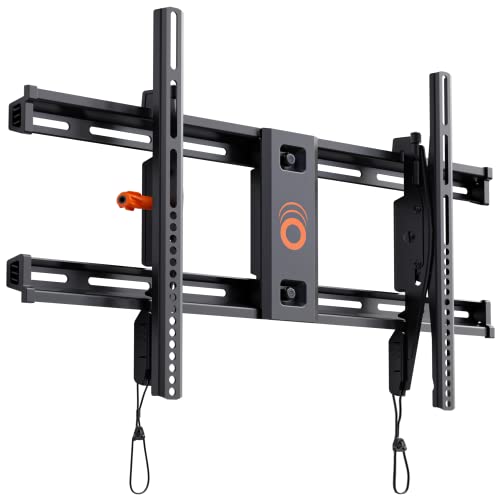
ECHOGEAR Tilting TV Wall Mount, 40 to 90 in TVs up to 135 lb, 10 Degree Tilt
40 to 90 in135 lb10 degree tilt3 step install
Check price on Amazon
Best for: First time installers mounting a large TV on well placed studs.

A tilting mount for 40 to 90 inch TVs up to 135 pounds with 10 degrees of tilt and a simple three step installation with pre divided hardware and a drill template. The pre divided hardware and template are small touches that save time, since sorting a bag of 20 bolts is the usual first obstacle.

The 10 degree tilt covers most glare and angle problems, and the 135 pound rating handles large TVs in the category. Compared with the SANUS, the ECHOGEAR has similar tilt and a higher size ceiling, but it lacks the sliding plate for off centre studs, so stud placement needs more care.

Mark the studs, use the template to drill, level the plate and lift the TV with a helper. Check the VESA pattern first, and tighten all bolts evenly.

What works

  • Pre divided hardware and drill template speed up installation
  • Stated 135 pound rating suits large TVs
  • 10 degrees of tilt handles most glare
  • 40 to 90 inch range covers popular sizes

Watch out for

  • No sliding plate for off centre studs
  • Low profile limits cable access
  • Larger TVs still need a second person to lift

Specs

TV size
40 to 90 in
Weight rating
Up to 135 lb
Tilt
Up to 10 degrees
Install
Three steps, pre divided hardware
Includes
Drill template
04
USX MOUNT Tilting TV Wall Mount, 37 to 95 in, Up to 132 lb, VESA 600 x 400, 10 Degree Tilt
37 to 95 in132 lbVESA 600x4000 to minus 10 tilt
Check price on Amazon
Best for: Wide size range TVs where the VESA is 600 by 400 or smaller.

A tilting mount for 37 to 95 inch TVs up to 132 pounds with a maximum VESA of 600 by 400 and a tilt of 0 to minus 10 degrees. The 95 inch ceiling is the widest size range here, but the VESA limit matters more than the size: a 95 inch TV can have a VESA larger than 600 by 400, so check the TV's pattern.

The tilt is 0 to minus 10 degrees, which means it tilts downward only, the usual pattern for a TV above eye level. The open wall plate gives good access to outlets and cables behind the TV. Compared with the ECHOGEAR, it reaches higher on screen size but has a lower weight rating.

Check the weight and VESA before buying, use studs and hang the TV with help. Tighten the bolts and move the tilt through its range before connecting cables.

What works

  • 37 to 95 inch range covers small and very large TVs
  • Open wall plate gives access to cables and outlets
  • Stated 132 pound rating suits most TVs in range
  • Tilt of 0 to minus 10 degrees helps with high mounting

Watch out for

  • VESA limit of 600 by 400 excludes some very large TVs
  • Tilts downward only, with no upward angle
  • Weight rating is lower than the biggest rivals

Specs

TV size
37 to 95 in
Weight rating
Up to 132 lb
VESA
Up to 600 x 400
Tilt
0 to minus 10 degrees
Design
Open wall plate, slim
05
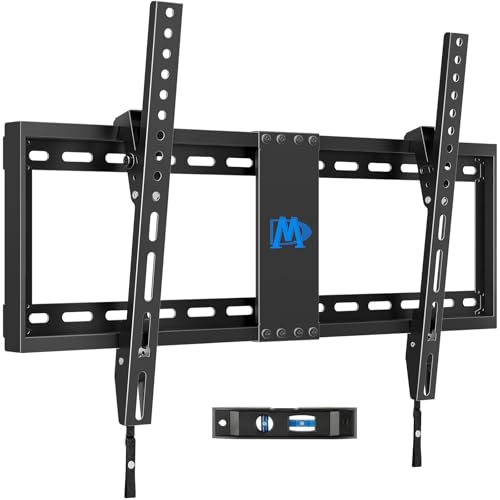
Mounting Dream Tilting TV Wall Mount, 37 to 90 in, Up to 132 lb, 8 Degree Tilt
37 to 90 in132 lb8 degree tiltLow profile
Check price on Amazon
Best for: TVs at or just above eye level where a neat, flush look matters.

A low profile tilting mount for 37 to 90 inch TVs up to 132 pounds that tilts forward up to 8 degrees and holds the TV closer to the wall than a standard bracket. A low profile gives a neater look, since the TV sits almost flush, which matters in a living room where the mount is visible from the side.

The 8 degree tilt is smaller than the 10 or 12 degrees offered by rivals, so it helps less with a TV mounted high. The listing says it fits 16 inch wood studs, which suits most US homes. Compared with the ECHOGEAR, it has a lower tilt and a similar weight rating.

Mark the studs, level the plate and lift the TV with help. Check that the TV's back is flat and that cables have enough clearance.

What works

  • Low profile keeps the TV close to the wall
  • Stated 132 pound rating suits most TVs
  • 37 to 90 inch range covers popular sizes
  • Fits 16 inch wood stud spacing

Watch out for

  • 8 degree tilt is smaller than rivals
  • Limited cable access behind the TV
  • Needs a level wall and clear studs

Specs

TV size
37 to 90 in
Weight rating
Up to 132 lb
Tilt
Up to 8 degrees
Profile
Low, closer to the wall
Studs
Fits 16 in wood studs
06
PERLESMITH Tilting TV Wall Mount, 23 to 60 in TVs up to 115 lb, 7 Degree Tilt, 1.2 in Low Profile
23 to 60 in115 lb7 degree tilt1.2 in profile
Check price on Amazon
Best for: Bedroom and den TVs up to 60 inches that need a very slim mount.

A tilting mount for 23 to 60 inch TVs up to 115 pounds with a 7 degree downward tilt and a slim 1.2 inch profile from the wall. The 1.2 inch depth is the slimmest in the lineup, so the TV sits very close to the wall, and the mount suits small to mid size TVs in a bedroom or a den.

The 115 pound rating is plenty for 60 inch TVs but not for large, heavy sets. A 7 degree tilt is modest, so it helps with moderate glare but not with a very high mount. Compared with the Mounting Dream, it is slimmer and cheaper but limited to smaller TVs.

Check the VESA pattern of your TV against the plate, use studs and mount the TV with help. Tighten bolts evenly and move the tilt through its range.

What works

  • 1.2 inch depth keeps the TV very close to the wall
  • Fits small TVs from 23 inches up to 60 inches
  • Stated 115 pound rating covers most mid size sets
  • 7 degree tilt reduces moderate glare

Watch out for

  • Tilt range is modest at 7 degrees
  • Not suited to large, heavy TVs
  • Limited cable access behind the TV

Specs

TV size
23 to 60 in
Weight rating
Up to 115 lb
Tilt
Down 7 degrees
Profile
1.2 in from the wall
Studs
Fits 16 in wood stud
07
monTEK Heavy Duty Tilting TV Wall Mount, 60 to 120 in TVs up to 300 lb, Plus or Minus 10 Degree Tilt
60 to 120 in300 lb±10 degree tiltTool free tilt
Check price on Amazon
Best for: Very large TVs that exceed the limits of standard tilting mounts.

A heavy duty tilting mount for 60 to 120 inch TVs up to 300 pounds with a plus or minus 10 degree tool free tilt. The 300 pound rating and the 120 inch size are the highest in the lineup, designed for extra large screens that most standard mounts cannot hold.

A tilt of plus or minus 10 degrees means the TV can angle both up and down, which is useful for a high mount or a low one. The tradeoff is size and weight: a heavy duty mount needs a very sturdy wall, stud mounting with the right lag bolts and at least two people to hang the TV. Compared with the USX MOUNT, it carries much more weight and larger screens.

Use a stud finder, confirm the wall is solid and check that the studs are spaced to match the plate. Use a lifting helper and secure the safety lock.

What works

  • 300 pound rating and 120 inch range suit very large TVs
  • Tool free tilt of plus or minus 10 degrees
  • Heavy duty design gives a strong hold
  • Wide compatibility with large flat screens

Watch out for

  • Heavy mount needs a strong wall and two people
  • Overkill for TVs under 60 inches
  • Thicker profile than slim mounts

Specs

TV size
60 to 120 in
Weight rating
Up to 300 lb
Tilt
Plus or minus 10 degrees, tool free
Design
Heavy duty, wide plate
Use
Extra large TVs

Spec decoder

What the listing measurements really mean

The numbers brands lead with, translated into what they tell you about fit, comfort and wear at home.

VESA pattern

The bolt hole spacing on the back of the TV in millimetres. The mount must support it.

Watch forThe USX MOUNT lists up to 600 by 400.

Weight rating

The maximum TV weight the mount supports, in pounds. Stay at least 25 percent under it.

Watch forThe monTEK lists 300 lb and the PERLESMITH lists 115 lb.

Tilt range

How many degrees the TV can angle. Downward tilt reduces glare for high mounted TVs.

Watch forThe extendable SANUS offers 12 degrees.

Profile depth

The distance from the wall to the back of the TV. Low profile is neat but limits cable access.

Watch forThe PERLESMITH is 1.2 inches deep.

UL listed

An independent safety certification. It indicates review against a recognised standard.

Watch forThe SANUS 37 to 80 inch mount lists UL.

Methodology

How We Evaluated These Tilting TV Mounts

Weight and VESA

We read each listing for weight ratings and VESA ranges. The monTEK's 300 pound rating and the SANUS UL listing were weighed above vague claims. We checked that stated sizes match the VESA.

Tilt and adjustment

We compared tilt ranges of 7, 8, 10 and 12 degrees and tool free adjustment. We noted level adjustment and sliding plates. Wider tilt scored higher for high mounting.

Profile and cable access

We compared depth from the wall and pull out designs. The SANUS pull out scored for access, and the PERLESMITH scored for slim depth. We noted tradeoffs for each.

Install and walls

We looked at stud spacing, plate width, hardware and templates. The SANUS sliding plate and the ECHOGEAR template scored for ease. We noted wall type limitations.

Owner feedback patterns

We researched recurring owner themes on tilt mounts, such as off centre studs, loose tilt joints and VESA mismatches. These patterns shaped the ownership notes. We did not run physical tests, and we do not use star ratings.

Decision guide

How to Choose the Right Tilting TV Mounts

By TV Size

SituationPickWhy
Up to 60 inPERLESMITH23 to 60 in, 1.2 in profile
Up to 80 inSANUS 37 to 80UL listed, sliding plate
Up to 90 inECHOGEAR or SANUS extendable135 lb or 150 lb
Up to 95 inUSX MOUNTVESA 600 by 400
Up to 120 inmonTEK300 lb heavy duty

By Budget

TierPickWhat you get
LowestPERLESMITHSlim mount for smaller TVs
LowerMounting DreamLow profile 37 to 90 in
Lower to midUSX MOUNTWide size range
MidECHOGEAR or SANUS 37 to 80Easy install or UL listed
HighestSANUS extendable or monTEKPull out access or 300 lb

Tilt vs Extendable

Tilt only (SANUS 37 to 80, ECHOGEAR)

Slim and simple, with a wide tilt for glare. Limited cable access behind the TV.

Tilt with extension (SANUS extendable)

Pulls out for cable access and a wider tilt. Thicker and heavier.

Choose tilt only for a clean look and extendable if you change cables often.

By Tilt Angle

AnglePickWhy
7 degreesPERLESMITHModest glare control
8 degreesMounting DreamLow profile
10 degreesSANUS or ECHOGEARCommon range
12 degreesSANUS extendableWidest tilt for high mounts
Up and downmonTEKPlus or minus 10 degrees

For Over a Fireplace Specifically

Look for

A wide tilt of 10 to 12 degrees, a pull out for cable access and a check that the wall can take the weight. Avoid shallow tilt mounts for high placements.

In this comparison

The SANUS extendable fits best. The SANUS 37 to 80 inch mount is the next choice for smaller TVs.

When to Spend More

Spend more if

The TV is large, heavy or mounted high. A UL listing, a sliding plate and a pull out are worth the extra.

Save if

The TV is small and at eye level. A basic tilt mount is enough.

Ownership

Maintenance schedule

The upkeep that decides whether a piece still looks good in year five.

TaskIntervalWhy it matters
Check bolts and the wall plateEvery six monthsVibration and heat can loosen bolts. A quick check keeps the TV secure.
Check the tilt mechanismEvery six monthsTilt joints can loosen with adjustment. Tighten them to hold the angle.
Dust the mount and cablesEvery six monthsDust collects behind the TV and can hide loose cables. Wipe and re-route if needed.
Re-level after movesAs neededThe TV can drift with movement. Level it and tighten the screws.
Check weight after upgradesWhen replacing the TVA new TV may weigh more. Compare it with the mount's rating.

FAQ

Frequently Asked Questions

Do I need a tilting mount?

Only if the TV is above eye level, where tilt cuts glare and improves the angle. At eye level a fixed mount works.

How do I check my TV's VESA?

Measure the horizontal and vertical distance between the mounting holes in millimetres. Compare it with the mount's range.

How much weight can a wall hold?

It depends on the studs and the hardware. Always mount into studs and stay under the rating.

Can I mount a TV on drywall alone?

No. Drywall cannot hold a TV. Use studs or heavy anchors rated for the load.

How far should the TV sit from the wall?

A low profile mount holds it about 1 to 2 inches away. An extendable mount can pull out several inches.

Are all tilt mounts tool free?

No. Some need tools to adjust. Check the listing for tool free tilt.

Bottom line

The short version

Browse more tilting tv mountson Amazon →
Elena Hart, Lead Home Editor

About the author

Elena Hart

Lead Home Editor, SweetLivingRoom

Elena Hart leads SweetLivingRoom's buying guides, turning product dimensions, material specs and owner feedback into clear verdicts on sofas, rugs, lighting, storage and decor.

More from Elena →

Keep reading

Related guides